HOW TO USE KLAP TO CREATE VIRAL SHORT-FORM STARTUP CONTENT
Step 1: Set up your Klap workspace (5–10 minutes) Follow this sequence to get started quickly....
One long talk → 8 platform-ready shorts: why that matters
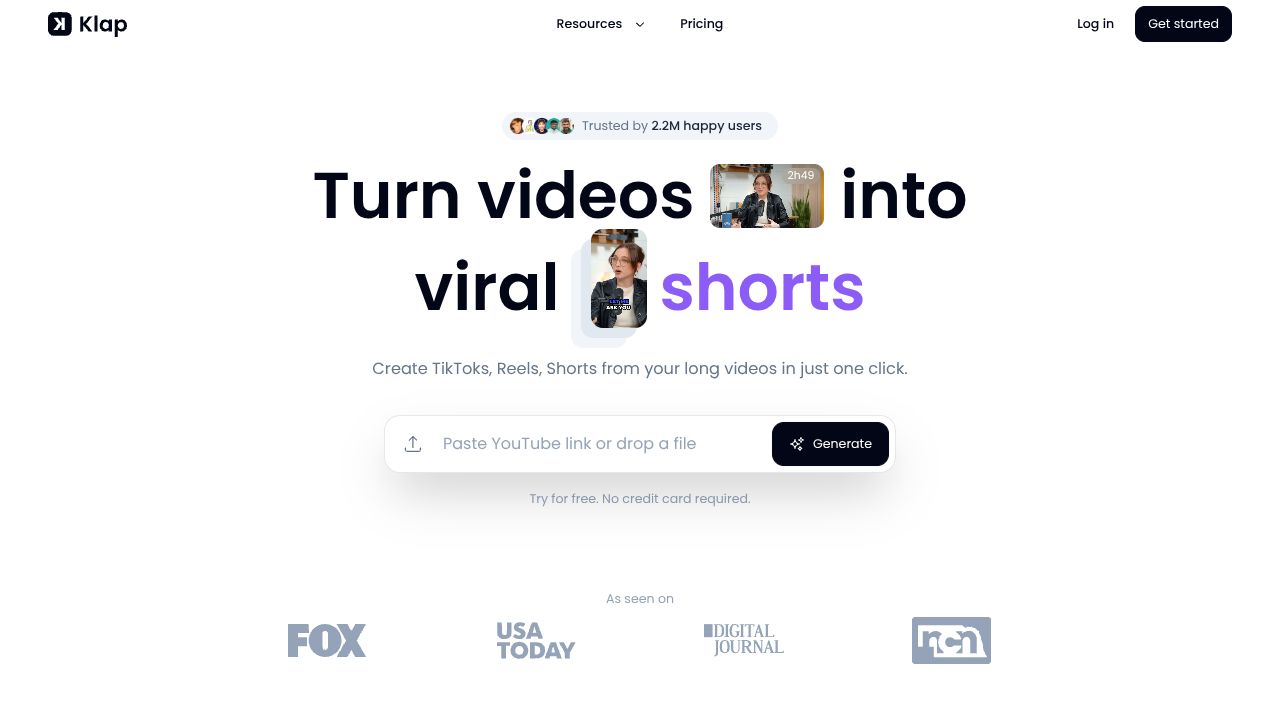
Teams waste an average of 5 hours per week repurposing long-form video into short clips. For founders and content leads, that’s time away from product, customers and hiring. Klap (https://klap.app) automates multi-clip extraction, scores clips for virality, and outputs captions + sizing for LinkedIn and TikTok — cutting editing overhead and increasing repeatable reach. Compared with manual editing or single-clip tools, Klap focuses on batch generation and virality prediction tailored to professional networks, which is especially useful for startup founders who need consistent, high-quality cadence across platforms.
Step 1: Set up your Klap workspace (5–10 minutes)
Follow this sequence to get started quickly.
- Create an account (plans start at $29/month). Choose a plan that supports batch exports if you plan to scale.
- Connect the source: upload a long video (presentation, webinar, fireside chat) or link to a hosted file.
- Configure basic metadata: speaker name, talk title, timestamps (if you have them). This metadata will populate captions and help Klap rank clips.
- Choose target platforms (LinkedIn, TikTok). Klap will apply platform-specific sizing and caption formatting.
- Enable auto-captions and the virality scoring toggle. Run an initial extraction on a 20–30 minute talk to see first results.
Our analysis shows a full import and initial multi-clip extraction typically completes within the same billing cycle on the $29 tier for single uploads; batch jobs may benefit from higher tiers.
Step 2: Core features you need to use (and how)
Focus on the 4 features that deliver the most value.
- AI multi-clip extraction
- What it does: identifies moments (hooks, strong quotes, punchlines) and generates multiple shorts.
- How to use: set clip length range (e.g., 15–60s). For founder content, prioritize 30–45s for LinkedIn and 15–30s for TikTok.
- Virality score
- What it does: predicts engagement potential using internal models.
- How to use: sort clips by virality score, pick top 3–5 for immediate publish. Don’t auto-publish everything — use scores to prioritize A/B tests.
- Auto-captions and speaker ID
- What it does: generates editable captions and speaker labels.
- How to use: always review captions for proper nouns (company names, product names). Export SRT or burn captions into the video for platforms that favor on-screen text.
- Resizing + scheduling
- What it does: outputs aspect-ratio variants (9:16, 1:1, 16:9) and schedules posts.
- How to use: create a 9:16 TikTok cut and a 1:1 LinkedIn cut from the same clip, then stagger scheduling for cross-platform reach.
Practical example: take a 45-minute founder AMA → generate 12 clips, sort by virality, edit captions for two top clips, export 9:16 and 1:1 versions, schedule one for LinkedIn morning, one for TikTok evening.
Step 3: Pro tips for startup professionals
These tactics increase ROI and consistency.
- Batch-run weekly webinars: extract all clips in one job, then map to your content calendar. This is Spectrum Coverage — you’ll fill platforms without ad-hoc editing.
- Use virality score as a hypothesis, not gospel: A/B test titles and first-frame text for the top 20% scoring clips. Track CTR and watch time for two weeks before concluding.
- Preserve Founder Perspectives: tag clips that contain strategic insight, investor quotes, or product roadmap hints; these tend to perform well with professional audiences.
- Metadata discipline: add timestamps, speaker bios, and CTAs to drive conversions. The data shows better engagement when the first 3 seconds contain a clear value proposition.
Common mistakes to avoid
Prevent wasted cycles with these checks.
- Over-trimming: cutting too aggressively reduces context and lowers watch-through. Keep at least one line of connective text.
- Blind faith in the virality score: high score ≠ perfect fit. Validate against your audience segments.
- Ignoring captions and naming: mislabeled clips reduce discoverability and harm brand consistency.
How Klap stacks up in the ecosystem
Use these comparison metrics when choosing a tool.
- Speed & batch capability: Klap excels at batch extraction vs. single-clip tools like Headliner.
- Virality prediction: Klap’s scoring is a differentiator compared to purely editor-centric platforms (e.g., Descript), which lack a curated virality model.
- Professional-network optimization: Klap is tuned for founder and thought-leader content; general repurposing tools (e.g., Repurpose.io, Kapwing) focus on cross-platform automation but not virality scoring.
- Price-to-value: starting at $29/mo, Klap is competitive if you repurpose long talks weekly — higher ROI for repeatable content programs.
Conclusion: Who should adopt Klap today?
Klap is best for founders, content leads and community managers who turn long talks into consistent, platform-specific shorts. Our analysis finds it most valuable when you need batch processing, platform-sized outputs, and a data signal (virality score) to prioritize edits. If your team produces weekly webinars or founder AMAs and needs to scale presence across LinkedIn and TikTok while preserving Founder Perspectives and ensuring Spectrum Coverage, Klap is a practical, cost-effective choice.
INTERESTED IN
KLAP?