HOW TO BUILD HIGH-CONVERTING LANDING PAGES WITH UNBOUNCE: A STARTUP GUIDE
Step 1: Setting Up Your Account - Choose a plan: Start with the $74–$99/mo tier that fits your traffic and page limits. Early-stage teams should prioritiz...
Launch Faster, Convert Smarter: A Data-Driven Guide to Unbounce for Startup Teams
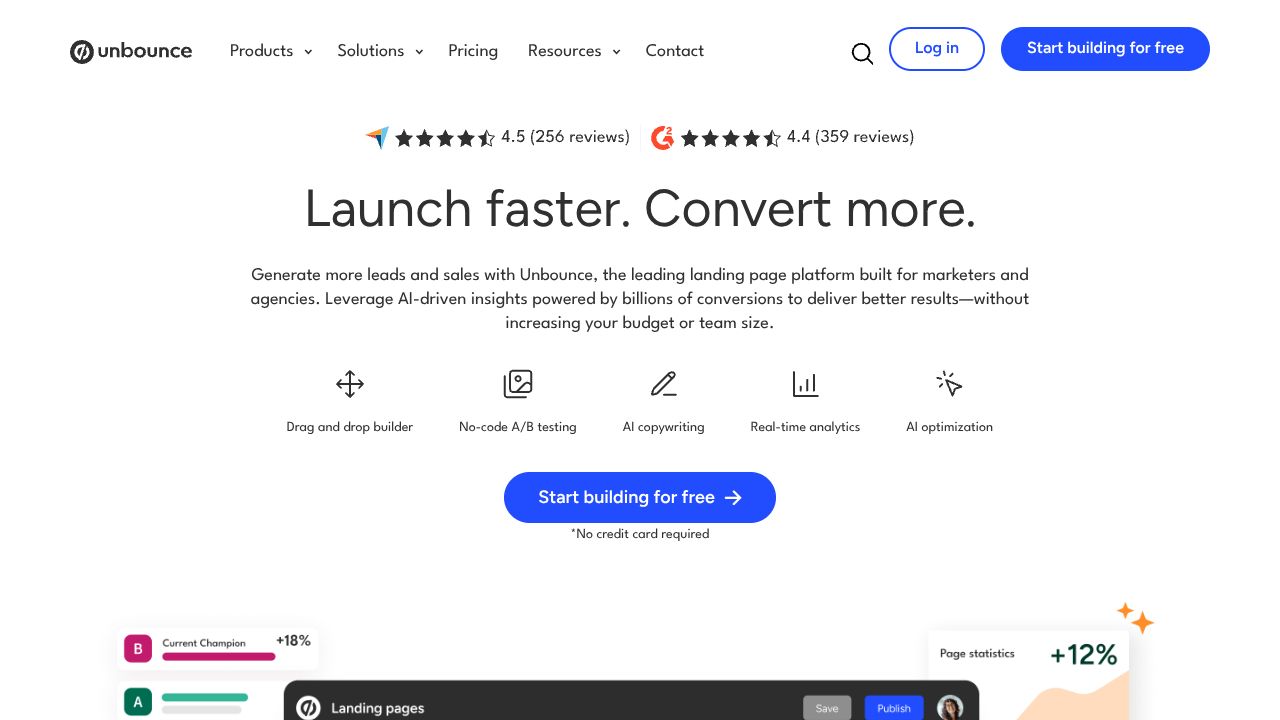
30% average conversion lift. That’s the upside Unbounce’s Smart Traffic reports when it auto-routes visitors to the best-performing variant—a material edge for startups where each qualified lead reduces CAC and extends runway. For founders and lean marketing teams, Unbounce compresses the time-to-test cycle: Smart Builder generates pages from prompts, AI assists copy, and built-in testing turns traffic into learnings quickly. Compared with hand-coded pages or generic site builders, Unbounce is purpose-built for CRO—and at $74–$99/month, it’s a tractable cost relative to the impact on pipeline. Website: https://unbounce.com
Step 1: Setting Up Your Account
- Choose a plan: Start with the $74–$99/mo tier that fits your traffic and page limits. Early-stage teams should prioritize access to Smart Traffic and A/B testing.
- Connect your domain: Add a subdomain like try.yourdomain.com. This isolates experiments from your main site and improves tracking hygiene.
- Define your first conversion goal: Lead form submissions, demo bookings, or checkout clicks. The data shows conversion clarity drives better variant decisions later.
- Install tracking: Add your Meta/Google tags and any analytics pixels. Use consistent UTM conventions (e.g., utm_campaign=launch_q2) for downstream analysis.
- Set up integrations: Connect CRM/MA tools (e.g., HubSpot, Salesforce, Mailchimp) or use Zapier. Ensure fields map 1:1 so you can attribute conversions cleanly.
Step 2: Core Features You Need to Know
- Smart Builder (prompt-based page generation)
- How to use: Enter your value proposition, target audience, and offer. Example prompt: “B2B SaaS for finance teams—automate reconciliations—free 14-day trial.”
- Practical output: A clean hero, social proof, benefit blocks, and a single conversion action. Edit sections rather than redesigning—speed beats perfection in early tests.
- Smart Traffic (ML auto-routing)
- What it does: Routes each visitor to the variant most likely to convert, learning from behavioral signals.
- How to start: Create 2–4 variants with one change per variant (headline, hero image, CTA). Let Smart Traffic learn for at least 50–100 visits before judging performance. Our analysis: this reduces the sample size required versus traditional A/B.
- AI Copywriting Assistant
- Use cases: Generate headlines (“Close the books 3x faster”), value bullets, and CTA variants. Set tone (“confident, concise”) and constraints (character limits).
- Guardrails: Feed it your positioning and banned phrases. Keep messaging consistent across ads, page, and email follow-ups.
- Built-in A/B Testing
- When to use: If you prefer standard splits before turning on Smart Traffic or you need a statistically clean read on a single element.
- Methodology: Change one variable per test, run to a pre-declared sample size (e.g., 500 sessions), and record a decision rule (e.g., 95% one-tailed).
- Dynamic Text Replacement (DTR)
- What it does: Mirrors ad keyword or UTM terms in on-page copy (e.g., “Invoice Automation” vs. “Expense Automation”).
- Example: For search ads with “automate reconciliation” vs. “close faster,” reflect each phrase in the H1 to lift message match and Quality Score.
Step 3: Pro Tips for Startups Professionals
- Variant portfolio strategy: Launch 3 variants at once—1 control, 1 bold headline, 1 risk-managed CTA change. Turn on Smart Traffic to maximize near-term wins.
- Segment by intent: Create separate pages for Paid Search (high intent, shorter copy) vs. Paid Social (lower intent, more proof and FAQs).
- Conversion hierarchy: Prioritize one primary action (book demo). Add a secondary micro-conversion (download guide) for colder traffic to build remarketing pools.
- Speed discipline: Limit page weight; compress images. Page load under 2.5s correlates with measurable CVR gains, especially on mobile.
- Data loop: Push form fields + UTM to your CRM. Review lead quality weekly, not just CVR, and prune variants that drive unqualified volume.
Common Mistakes to Avoid
- Testing too many changes per variant
- Fix: Isolate variables. If the headline and hero image both change, you won’t know which moved the metric.
- Vague or mismatched goals
- Fix: Set a single primary conversion and ensure ad promise = page headline = form label. Consistency reduces friction.
- Starving Smart Traffic of options
- Fix: Provide at least 3 distinct variants and 50–100 sessions to learn. Avoid pausing variants prematurely within the first learning window.
How It Compares to Alternatives
- Instapage: Strong collaboration and personalization options; typically higher price. Unbounce’s Smart Traffic gives earlier lift with less traffic.
- Leadpages: Lower cost and simpler setup. Lacks Unbounce’s ML routing and advanced DTR depth—better for very small budgets.
- Webflow: Maximum design control and CMS power. Requires manual testing setup and more build time; Unbounce is faster for CRO-focused campaigns.
- ClickFunnels: Funnel/upsell centric. Unbounce is leaner for single-page lead gen with rigorous testing.
Conclusion: Is Unbounce Right for You?
For startup teams prioritizing rapid CRO cycles, Unbounce is a high-leverage tool: prompt-built pages, AI-assisted copy, ML routing, and disciplined testing in one stack. If your goal is faster learning and measurable conversion gains—and your budget supports $74–$99/month—our analysis recommends Unbounce as a first-line landing page platform. Choose it when speed-to-test and data-backed optimization matter more than bespoke design flourishes; graduate to heavier custom builds only after you’ve validated what actually converts.
INTERESTED IN
UNBOUNCE?